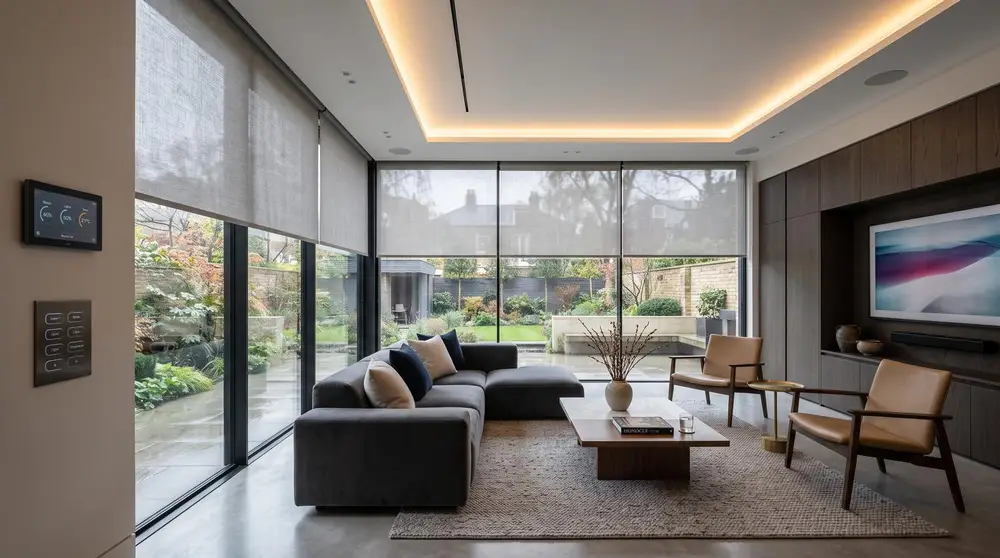
A family room that turns into a cinema at the press of a button, with the blinds closing, the lights dimming and the sound coming from speakers you cannot see.
The room first
Picture and sound depend on the room as much as the equipment. We look at the seating distance, the light coming in, the shape of the room and what is behind the walls before recommending a screen or speaker layout.
In a multi-use room, the AV needs to disappear when it is not in use. That can mean in-wall or in-ceiling speakers, a screen set into joinery, or a projector and screen that are hidden away.
What a media room includes
- A screen or projector sized for the seating position.
- Surround sound, with speakers concealed in walls or ceilings where possible.
- Lighting and blinds linked to a Film scene.
- All sources, from streaming to games consoles, on one remote or keypad.
- Equipment housed out of sight with proper ventilation.
When to go further
If the room is only for watching films, a dedicated private cinema with acoustic treatment and tiered seating may be the better route. Our private cinema page explains what that involves.
Questions we are asked
Projector or television?
It depends on the room's light, the size of image you want and whether the room has other uses. We will show you the options for your space.
Can the speakers be hidden?
Yes. In-wall, in-ceiling and invisible plaster-in speakers can all be used, depending on the room and the level of performance needed.
Will it be simple to use?
One button starts the film scene and switches on the right equipment. Everything else is handled by the system.
Related